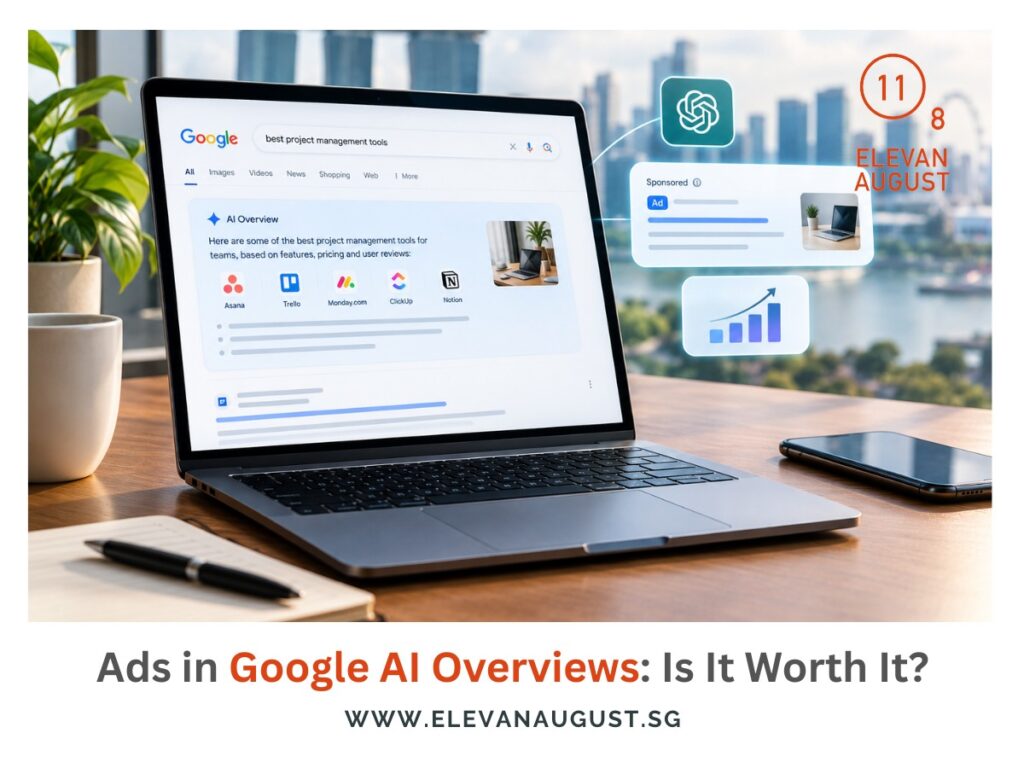
Google can show ads inside the AI-generated summaries that appear in some search results. A relevant ad can help someone move from reading advice to buying a product or contacting a business.
It is worth checking whether your campaigns can appear there, but spending more makes sense only if the changes produce better business results. Start by understanding how Google selects these ads and what you can measure.
How Google chooses ads for the summary
Ads can appear above, below or inside an AI Overview, with different eligibility rules for each position. An ad near a summary is not necessarily an ad within it.
With ads in AI Overviews, Google uses the question and the summary to work out what the person might need next. An ad can appear when a product or service fits that need.
For example, a summary might explain ways to keep a bedroom cool. A fan ad could offer a useful next step, even if the person never searched specifically for a fan. The advertiser can reach someone while they are still working out what they need.
In-summary ads are available in English on mobile and desktop in Singapore. Google currently excludes sensitive categories such as healthcare and finance from these placements.
Start with your existing campaigns
You cannot choose to show your ads only inside Overviews. If you already run Google Ads in Singapore, review the following before commissioning additional work:
- Campaign type: Search, Shopping and Performance Max campaigns can supply eligible text or Shopping ads. Check which campaigns you already run and whether they qualify.
- Search matching: Check whether your campaign uses broad match or another eligible AI-powered targeting option. You need matching that can reach related questions, without listing every specific phrase as a keyword.
- Bidding: Smart Bidding is Google’s recommended approach. It adjusts bids towards your campaign goal, so first check that goal reflects the sales or enquiries you actually want.
- Offer details: For products, check that prices, availability and descriptions are up to date. For services, make sure the page explains what the customer can book or request.
Before expanding targeting, agree what would justify the extra spend: more sales, better enquiries or lower acquisition costs. If your current setup already qualifies, ask what further work is needed and why.
Know which results you can measure
Google reports these placements as Top Ads, without a separate segment for ads inside AI Overviews. Top Ads includes other positions, so its total cannot tell you how the in-summary placements performed.
Your normal campaign reports still show clicks, conversions and costs, but they do not identify which came from inside an AI Overview. Seeing your ad in a screenshot confirms an appearance, not the sales it generated.
AI Max can expand how a Search campaign matches searches and creates ads. Testing it against your original setup can show whether those changes help. Even then, the result won’t tell you how much came from AI Overview placements.
If you hire an agency for Google Ads in Singapore, ask it to explain any changes in campaign performance. It should also explain why those figures cannot be attributed to AI Overviews alone.
Check eligibility before adding budget
Start by finding out whether your current campaigns can already appear in AI Overviews. Where changes are needed, choose them because they could improve the account and assess them against a clear business goal.
Being eligible gives your ads another opportunity to reach customers. Increasing your budget should follow evidence that the campaign produces worthwhile sales or enquiries, rather than the appeal of a new position on the page.